Ad Blocker Detected
Our website is made possible by displaying online advertisements to our visitors. Please consider supporting us by disabling your ad blocker.
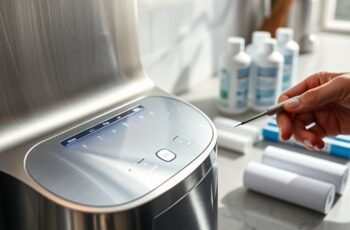
We may notice that our ionizer needs attention just as its filter-change reminder appears, and that timing isn’t always a coincidence. A reliable maintenance schedule helps us protect water flow, filter performance, and electrolysis plates without using unapproved cleaning methods. We’ll cover routine checks, cleaning, inspection, and descaling, then explain which warning signs mean a simple service task may not be enough.
Key Takeaways
- Follow your ionizer’s manual for model-specific maintenance intervals, procedures, filter limits, and approved cleaning products.
- After each use, check for warnings; weekly, unplug the unit and wipe its exterior and spout with a soft, damp cloth.
- Inspect filters, tubing, and connections on schedule; replace compatible cartridges by their stated limits and record service dates.
- Descale and clean electrolysis plates at the manual’s intervals, adjusting for water hardness and buildup; use only approved methods.
- Keep a maintenance log of tasks, filter age, symptoms, and service; contact authorized support for persistent leaks, errors, or unusual changes.
Water Ionizer Maintenance Schedule at a Glance
A consistent maintenance schedule keeps your water ionizer operating reliably and helps protect its filters and internal components. We can organize care into daily, periodic, and annual tasks, following the manufacturer’s instructions for your model. Daily operation requires only routine use and basic awareness of water flow; deeper cleaning follows the unit’s specified intervals. We should review the manual to identify filter replacement dates, cleaning procedures, and any service requirements.
A simple log helps us track completed tasks, filter age, and upcoming maintenance. Set reminders based on the calendar or the unit’s indicator, but confirm the correct interval in the documentation. These maintenance benefits include steadier performance, fewer avoidable interruptions, and better protection for components. By planning each task in advance, we can maintain the ionizer without relying on guesswork or delaying scheduled care.
Check Your Ionizer After Each Use
After each use, we should confirm that the ionizer’s water flow has stopped and check the display for warnings or error codes. Note any message before resetting the unit, and follow the manual’s instructions for the specific code. We should also inspect the next pour for consistent flow, pressure, and selected settings. Record Flow interruptions, unusual sounds, or delayed startup; recurring symptoms may indicate a blocked filter, supply issue, or service need.
Taste changes can signal a shift in water quality or performance. If the water tastes different, compare it with recent pours and verify that we selected the intended setting. Don’t assume a single change confirms a fault; note when it occurs and whether it persists. We should contact the manufacturer or a qualified technician if warnings recur, flow remains irregular, or taste changes continue. Avoid opening the unit.
Clean the Exterior and Spout Weekly
To limit residue and contamination, clean the ionizer’s exterior and spout weekly. First, switch off and unplug the unit, then let its surfaces cool. Dampen a soft, lint-free cloth with water and wring it out thoroughly. Wipe the housing, controls, and seams without allowing moisture to enter openings. For exterior dusting, use a dry microfiber cloth on vents and other delicate areas; don’t spray cleaner directly onto the appliance.
Clean the spout’s outer surface with the damp cloth, removing visible droplets and mineral film. For spout polishing, use a clean, soft cloth and gentle strokes; avoid abrasive pads, scouring powders, and harsh chemicals that could scratch or damage finishes. Dry all cleaned surfaces completely before reconnecting power. Follow the manufacturer’s instructions if they specify different cleaning agents or methods.
Inspect Filters and Connections Monthly
Once the exterior is clean, inspect the filters and water connections monthly to catch wear, leaks, or buildup early. Follow your model’s manual, and shut off the water supply before checking components. Use this routine:
| Check | What to look for | Action |
|---|---|---|
| Filter housing | Cracks, moisture, discoloration | Replace damaged parts |
| Tubing and joints | Drips, kinks, loose fittings | Tighten or replace |
| Filter indicator | Service alert or overdue date | Change as directed |
For leak detection, dry each connection, run water briefly, then check for fresh moisture. Confirm connector security by gently testing fittings; don’t force them, since overtightening can damage threads. Note inspection dates and findings so we can track changes and plan replacements. Use only compatible filters, and follow the manufacturer’s procedure for installation. If a leak persists or a housing appears damaged, stop using the unit and contact qualified service support.
Descale the Ionizer on Schedule
Mineral deposits can reduce flow and electrode performance, so descale the ionizer at the interval specified in its manual. Descaling intervals vary with water hardness, usage, and model; we should follow the manufacturer’s schedule rather than wait for visible buildup. If the unit has a descaling alert, we’ll treat it as a prompt to begin the approved procedure.
Before starting, we’ll turn off the ionizer and isolate its water supply as directed. We’ll use only the recommended cleaning solutions and concentration; acidic household products may damage internal components or seals. We’ll circulate the solution for the stated duration, then flush the system with clean water until no residue remains. Finally, we’ll restore the supply, check for leaks, and confirm normal flow and operation. We’ll record each service date to maintain a consistent schedule.
Replace Filters When Due
We should replace each filter according to the manufacturer’s service interval, adjusting for usage and water quality. Check the ionizer’s replacement indicators, but don’t rely on them instead of the schedule. Use only filters compatible with your model to maintain proper fit and performance.
Follow Filter Timelines
How often should you replace a water ionizer’s filters? We should follow the schedule in the unit’s manual, since Filter lifespan varies by model, filter type, water quality, and daily use. Check the manufacturer’s stated replacement intervals for each cartridge, and record the installation date so we can calculate its due date accurately.
Before servicing, we should shut off the water supply and follow the specified procedure for depressurizing the system. Use the exact compatible filter, seat it correctly, and tighten connections as directed; incorrect installation can cause leaks or reduce filtration performance. After replacement, flush the cartridge for the duration the manufacturer specifies, then inspect fittings for leaks. Keep a dated maintenance log, and order cartridges in advance so we can replace them on schedule. Don’t extend service life beyond the stated limit, even if water output seems unchanged.
Watch Replacement Indicators
A maintenance log helps us track due dates, while the ionizer’s indicators can signal when a filter needs attention sooner. We should check the display and compare changes with normal operation. Treat alerts as prompts to inspect the filter, not as proof of a specific fault.
| Indicator | What we should check |
|---|---|
| Flow rate decline | Confirm reduced output persists |
| Unusual taste | Compare water with its usual profile |
If either change appears, we should review the unit’s status and replace the filter when its service limit is reached. A sudden change may also reflect low supply pressure or another operating issue, so we shouldn’t rely on taste alone. Record the date, alert, and observed symptom in our log. After replacement, we can verify that flow and water quality return to their expected ranges, then reset the indicator as directed by the unit’s instructions.
Use Compatible Filters
When a filter reaches its service limit, we should replace it with a model approved for our ionizer. Check the manufacturer’s specifications before ordering, because filter compatibility depends on the unit’s model, connection type, and required filtration capacity. Don’t assume cartridges with similar dimensions perform identically.
For accurate cartridge selection, match the replacement part number in the manual or on the existing cartridge. Confirm that the filter addresses the contaminants specified for your water supply and supports the ionizer’s rated flow. If the manufacturer lists an approved alternative, verify its exact model designation.
Before installation, shut off the water supply and follow the unit’s replacement procedure. Seat the cartridge fully, secure the housing, then flush it as directed. Check for leaks and reset the filter indicator, if available. Record the installation date so we can track the next replacement interval.
Protect the Electrolysis Plates From Buildup
We can limit mineral deposits on the electrolysis plates by following the manufacturer’s water-quality and maintenance guidance. Check the plates at the recommended intervals, and clean them with the specified method when buildup appears. We’ll cover the steps that help keep plate performance consistent.
Prevent Mineral Deposits
To protect the electrolysis plates, we need to limit mineral scale from hard water. First, check your water hardness and source-water mineral chemistry; calcium and magnesium can precipitate when electrolysis changes local pH. Follow the ionizer manufacturer’s specified inlet-water range, and install a compatible pretreatment filter or softener if hardness exceeds it. Replace cartridges on schedule, since exhausted media may no longer reduce scale-forming minerals. Keep water pressure and flow within the unit’s limits, too; restricted flow can increase mineral concentration near the plates. If your supply varies seasonally, test it periodically and adjust pretreatment accordingly. These steps support deposit prevention without changing the unit’s operating settings. Use only approved treatment methods, because unsuitable additives can damage components or alter water quality. Consult your manual before selecting any filtration equipment.
Clean Plates Regularly
Even with scale-prevention measures, mineral deposits can accumulate on the electrolysis plates over time. We should clean them at the interval specified in the manufacturer’s manual, or sooner if performance declines. Before servicing, unplug the unit, shut off its water supply, and follow the model-specific access procedure. Never scrape plate coatings or use unapproved chemicals.
- Inspect: Perform a plate surface inspection for scale, discoloration, corrosion, or damage. If plates appear damaged, contact the manufacturer rather than cleaning them.
- Select tools: Confirm cleaning tool selection against the manual. Use only approved, nonabrasive brushes or solutions; avoid metal tools and household acids unless expressly permitted.
- Clean and verify: Apply the approved method, rinse as directed, and reinstall components securely. Restore water and power, then check for leaks and normal operation.
Record the date and findings so we can track buildup and adjust maintenance timing safely.
Adjust Maintenance for Hard Water
If your water is hard, shorten the ionizer’s cleaning interval because mineral deposits can build up faster on its plates and in its internal passages. Start with the manufacturer’s recommended schedule, then adjust cleaning frequency according to measured hardness and observed deposit accumulation during routine servicing. Use mineral testing methods, such as a hardness test strip or titration kit, to determine calcium and magnesium levels in your supply. Retest after seasonal changes or plumbing work, since source water can vary. If hardness remains high, compare Water softener options, including a whole-house softener or point-of-use treatment, and confirm compatibility with your ionizer. Follow the appliance manual for approved cleaning solutions and procedures; don’t increase chemical strength or soak components beyond specified limits. Record test results, cleaning dates, and any schedule changes to guide consistent maintenance.
Spot Signs Your Ionizer Needs Attention
Alongside hardness-based cleaning adjustments, watch for performance changes that may signal a maintenance issue. We can use these indicators to identify problems early and describe them clearly when seeking service.
- Unusual noises: Listen for persistent buzzing, clicking, or grinding during operation. A new sound may indicate a flow restriction, loose component, or electrical fault. Stop using the unit if noise accompanies heat or a burning smell.
- Slow dispensing: Compare output with the ionizer’s usual flow. Reduced flow can result from a clogged filter, mineral buildup, or low inlet pressure. Check whether the supply valve is fully open.
- Changed water quality: Note unexpected taste, odor, cloudiness, or inconsistent pH readings. Confirm measurements with a properly calibrated meter, then record when the change occurs.
We should track symptoms and timing; sudden or worsening changes warrant prompt assessment.
Follow Your Model’s Maintenance Instructions
Because maintenance intervals and procedures vary by model, follow the manufacturer’s manual rather than relying on a generic schedule. We should record each task, interval, and approved replacement part, then check the manual before servicing. Manufacturer guidance also clarifies which steps require a technician.
| Task | Check | Action |
|---|---|---|
| Filter replacement | Model interval | Install specified filter |
| Electrode cleaning | Manual procedure | Use approved method |
| Sanitizing | Recommended frequency | Follow exact dosage |
We should verify warranty requirements before opening the unit or using third-party parts; unauthorized work may affect coverage. If instructions conflict with symptoms or water-quality results, we shouldn’t guess. Contact the manufacturer or an authorized service provider, and document their advice. Keep the manual, service dates, and receipts together so we can confirm compliance during troubleshooting or a warranty claim. Recheck instructions after firmware updates or model-specific service notices.
Frequently Asked Questions
Can I Use Vinegar to Clean My Water Ionizer?
Yes, but only if your manufacturer approves it. Vinegar’s Effect on Ionizer Plates may include corrosion or damage; for Choosing a Safe Descaling Solution, we recommend using the specified cleaner and following its instructions carefully.
Is It Safe to Leave My Ionizer Plugged in When Not in Use?
Yes, you can leave your ionizer plugged in; however, unplugging it reduces standby electricity, while keeping it connected offers convenience. We recommend following your model’s instructions and checking its power safety guidance.
Can a Water Ionizer Be Transported While Still Connected?
We don’t recommend transporting your ionizer while it remains connected. For safe movement, unplug it, shut off the water supply, and follow Transport precautions, including hose disconnection, to prevent leaks, electrical hazards, or damage.
Does a Power Outage Affect My Ionizer’s Settings?
A power outage may leave your ionizer’s settings intact, like a bookmark holding your place. Power outage settings depend on memory retention: we recommend checking your manual, then verifying settings after power returns.
Can I Use My Ionizer With Well Water?
Yes, we can use an ionizer with well water if testing confirms it meets the manufacturer’s specifications. Well water testing should assess mineral content, hardness, iron, and contaminants; we may need pretreatment or filtration.
Conclusion
By following a consistent water ionizer maintenance schedule, we help protect performance and extend the unit’s service life. Check its display and flow after each use, clean the exterior weekly, and inspect filters, tubing, and connections monthly. Descale and clean electrolysis plates only as your model’s manual directs, using approved products. In hard-water areas, follow any additional guidance. Record service dates and symptoms, and contact an authorized technician about persistent faults, leaks, or damaged parts. A little care keeps trouble at bay.