Ad Blocker Detected
Our website is made possible by displaying online advertisements to our visitors. Please consider supporting us by disabling your ad blocker.
A water ionizer can look clean while its filters or electrodes need attention. We can protect water quality and extend the unit’s service life by following the manufacturer’s schedule for filter changes, flushing, and electrode care. We’ll also check hoses, fittings, and spouts, and track service dates so small issues don’t become costly faults. But when flow, taste, or alerts change, the cause may not be obvious.
Key Takeaways
- Follow the manufacturer’s manual for cleaning, flushing, inspections, and filter-replacement intervals.
- Keep maintenance records and reminders for service dates, filter models, installation dates, and replacement due dates.
- Unplug the ionizer before cleaning; use a soft, damp cloth and avoid abrasive tools or unapproved chemicals.
- Clean electrodes and descale only with the model-approved method; never scrape plates or improvise cleaning agents.
- Watch for leaks, reduced flow, unusual odors, alerts, or noises; check simple causes and contact qualified support if problems persist.
How to Maintain Your Water Ionizer
To maintain your water ionizer, follow the manufacturer’s schedule for cleaning, filter replacement, and inspection. Keep the manual and record service dates so we can track each task and spot overdue maintenance. Replace cartridges with compatible models, and reset the filter indicator as directed. Don’t wait for a warning if the specified service interval has passed.
Check the Installation location periodically. Confirm the unit remains level, dry, ventilated, and protected from freezing or excessive heat. Inspect tubing and fittings for leaks, kinks, or loose connections; shut off the water supply before correcting a problem. We should also verify that the power cord and outlet remain undamaged and accessible.
Track replacement parts, water use, and service needs to estimate operating costs. If output changes or an alert persists, consult the manual or contact qualified service support.
Clean the Exterior and Water Spouts
We’ll wipe the exterior with a soft, damp cloth and avoid abrasive cleaners. Clean the water spouts regularly to remove residue and maintain clear flow. We’ll also prevent mineral buildup by following the manufacturer’s cleaning instructions.
Wipe the Exterior
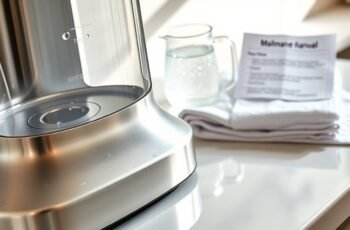
After unplugging the ionizer, wipe its exterior with a soft cloth dampened with water or mild dish soap. Use gentle, even strokes to remove dust, fingerprints, and light residue without soaking the housing. For effective surface wiping, wring out the cloth so moisture can’t enter seams, buttons, vents, or electrical connections. Don’t spray cleaner directly onto the unit; apply it to the cloth instead. Avoid abrasive pads, scouring powders, solvents, and harsh chemicals, which can scratch or discolor finishes. If soap leaves a film, wipe the surface again with a clean cloth dampened with plain water, then dry it with a soft towel. These exterior care steps help preserve the finish and keep controls legible. Check your manual for material-specific cleaning instructions before using any product.
Clean Water Spouts
With the exterior clean, inspect the water spouts for mineral deposits or residue. Check each outlet under good lighting, including its opening and surrounding threads. If your ionizer has multiple spouts, examine them individually so we don’t miss a partially blocked outlet.
Dampen a soft cloth or cotton swab with clean water and wipe away loose residue. For deposits inside an outlet, follow the manufacturer’s instructions; don’t insert sharp tools, scrape the surface, or use unapproved chemicals. These can damage the finish or internal components. Rinse the cleaned area with water, then dry it with a lint-free cloth.
Run water briefly and observe the flow. Confirm spout aeration is even, with no unexpected splashing or restricted stream. Check nozzle alignment and adjust only as the manual permits. Stop if leakage appears.
Prevent Mineral Buildup
To prevent mineral buildup, wipe the ionizer’s exterior and water spouts regularly, especially where splashes or drips can leave deposits. Use a soft, damp cloth after dispensing, then dry surfaces to limit residue. For stubborn spots, apply a mild, manufacturer-approved cleaner; don’t use abrasive pads, harsh acids, or solvents that could damage finishes or seals.
If your supply is hard, wipe more often and inspect the spout openings for scale. Hard water prevention starts with routine drying and, where appropriate, a compatible filtration system. Don’t immerse the unit or let cleaning liquid enter outlets, controls, or vents. Follow the manual’s guidance for descaling internal components; exterior cleaning won’t remove deposits inside the water path. These habits reduce mineral deposit barriers around outlets, preserve clean flow, and help us spot buildup before it restricts dispensing.
Clean Water Ionizer Electrodes Safely
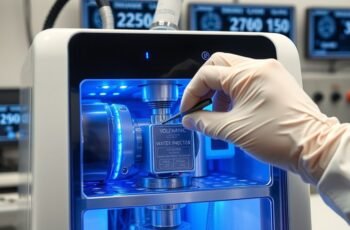
Mineral scale on a water ionizer’s electrodes can reduce performance, so clean them using the method specified in your model’s manual. Before starting, unplug the unit and shut off its water supply. These steps support electrode safety and help prevent electrical or water damage. Don’t scrape plates or apply acids, abrasives, or unapproved cleaners; they can damage coatings and alter output.
- Prepare: Confirm the manual’s cleaning procedure, required solution, and contact time. Wear gloves if the manufacturer recommends them.
- Clean: Run the specified cleaning cycle or use the approved method. Keep liquid away from electrical components, and never open the housing unless the manual directs you.
- Check: After cleaning, rinse as instructed and perform a plate inspection for residue, corrosion, or damage. Contact the manufacturer if you find defects or performance remains poor.
Replace Water Ionizer Filters on Time
We should replace each filter at the interval specified by its manufacturer. Check the unit’s display or indicator regularly for filter warnings. If a warning appears, replace the filter promptly and reset the indicator as directed.
Follow Replacement Schedules
Replace water ionizer filters at the intervals specified by the manufacturer, even if the water still tastes and looks normal. We can keep maintenance predictable by recording each filter’s installation date and checking the manual for its replacement intervals. Follow the schedule for each filter type; stages may have different service lives.
- Note the model number and filter type in a maintenance log.
- Record installation dates and calculate due dates from the manufacturer’s guidance.
- Set calendar reminders ahead of each due date, then order compatible replacements in time.
When we replace a filter, we should update the log and retain the receipt or packaging details for future reference. If usage varies, follow the manufacturer’s stated method for determining service life rather than extending the schedule based on taste or appearance. This routine helps us maintain consistent, documented care.
Watch for Filter Warnings
Even when we follow the replacement schedule, we should watch for filter warnings from the ionizer. A warning may indicate reduced flow, a clogged cartridge, or a filter-life counter that has reached its limit. Check your manual for warning light meanings, since colors and flashing patterns vary by model. Don’t assume every alert signals the same fault.
Use clear alert response steps: note the displayed code or light pattern, check the manual, and inspect the filter housing for leaks or incorrect seating. If the unit tracks filter life electronically, confirm that the counter matches the installed cartridge and reset it only after replacement. Replace the filter promptly when the manufacturer’s instructions call for it. If the warning remains, water flow changes, or the unit reports a fault, stop using it and contact the manufacturer or a qualified technician.
Flush the System to Clear Buildup
To clear mineral deposits and other residue, flush your water ionizer according to the manufacturer’s schedule and instructions. We can use the unit’s built-in flush function or, if specified, Reverse flow flushing to move water through the internal pathways and dislodge buildup. Follow the manual’s steps; don’t improvise pressure, duration, or cleaning agents.
Flush your ionizer as directed, using its built-in cycle or specified reverse-flow method to clear residue safely.
- Turn off the unit and disconnect it if the instructions require this before flushing.
- Start the prescribed flush or descaling cycle, and let it run for the full recommended time.
- Check the drain outlet for steady flow, then restart the unit as directed and confirm normal operation.
If flow remains weak or the cycle reports an error, stop and consult the troubleshooting guide or contact the manufacturer. Regular flushing helps maintain internal passages without replacing filter care. Don’t open the housing unless the manual authorizes service.
Use Water That Supports Ionizer Performance
Because an ionizer’s performance depends on the water it processes, use feed water within the limits specified in the manual. Check your supply’s hardness, dissolved solids, and pH against the manufacturer’s requirements. Source water quality affects electrode output and can influence scale formation, so don’t assume clear water is suitable. If your supply falls outside the recommended range, use a compatible pretreatment system, such as a sediment filter or water softener, only when the manual permits it. Avoid distilled or reverse-osmosis water unless the unit is designed for it; low mineral content may prevent reliable electrolysis. Maintain the mineral balance the system requires, and replace filters with approved parts to preserve flow and treatment performance. If you’re unsure about local water conditions, test a sample or consult the manufacturer before changing the feed water.
Set a Simple Water Ionizer Maintenance Schedule
A simple maintenance schedule helps us keep a water ionizer operating reliably without missing routine care. We can divide tasks by frequency and follow the manufacturer’s instructions for model-specific procedures. Record completed maintenance so we can track intervals and avoid unnecessary cleaning.
A simple maintenance schedule, guided by the manual and tracked over time, helps keep a water ionizer reliable without unnecessary cleaning.
- After each use: Run the unit’s rinse cycle, if available, and wipe the exterior with a soft, damp cloth. A Daily rinse helps clear residual water from the outlet.
- Monthly: Clean the faucet aerator and inspect accessible connections, following the manual’s cleaning guidance. Don’t use abrasive pads or unapproved chemicals, which may damage surfaces or components.
- Annually: Arrange an annual inspection by a qualified technician when the manufacturer recommends it. We can also review filter replacement dates and service records, then reset the schedule for the next year.
Set calendar reminders for recurring tasks, and adjust intervals to match the manual and actual use.
Spot Signs Your Ionizer Needs Attention
Alongside routine maintenance, we should watch for changes that may signal a problem: reduced water flow, unusual taste or odor, leaks, error codes, or a filter-change alert. These signs can indicate a clogged filter, a connection issue, or a change in operating conditions. Note when each symptom appears and whether it affects every outlet or only one setting. Unusual operating noises, such as persistent humming or rattling, also deserve attention, especially if they’re new or grow louder. Watch for inconsistent water flow: pressure that fluctuates during dispensing may point to a developing restriction. Check the unit’s display for alerts and inspect visible tubing and fittings for moisture. Keep a brief record of symptoms, dates, and selected settings. This information helps us describe the issue accurately when we consult the manufacturer or a qualified service provider.
Troubleshoot Common Water Ionizer Problems
When an ionizer stops working as expected, check the simplest causes before changing settings or opening the unit. We can isolate common faults with a few safe checks. Disconnect power before inspecting hoses or filters, and follow the manufacturer’s instructions.
- Low Water Flow: We should confirm the supply valve is fully open and the inlet hose isn’t kinked. Check the filter’s service life; replace it if overdue. Persistent low flow may indicate a clogged screen or low household pressure.
- Power Failures: We can verify the outlet works, inspect the plug and cord, and reset the unit as directed. Don’t use damaged wiring; contact a qualified technician.
- Unusual taste or display errors: We should flush the system, review settings, and note any error code. If symptoms remain, arrange service rather than dismantling internal components.
Frequently Asked Questions
Does a Water Ionizer Need Professional Servicing?
Not always; we recommend professional servicing if your ionizer shows faults, leaks, or reduced output. Follow the manufacturer’s maintenance frequency, replace filters on schedule, and contact a qualified technician for repairs beyond routine cleaning.
How Long Does a Water Ionizer Typically Last?
A water ionizer’s Expected lifespan is typically 10–15 years, though usage, water quality, and maintenance affect longevity. We recommend tracking performance and following manufacturer guidance to determine replacement timing before failures disrupt reliable operation.
Does Maintenance Affect a Water Ionizer’s Warranty?
Yes, maintenance can affect your water ionizer’s warranty. We recommend following the manufacturer’s schedule and keeping maintenance records. Warranty requirements vary, so check your terms; missed servicing or improper care may limit coverage for specific repairs.
Can I Leave My Water Ionizer Unused While Traveling?
Yes, you can leave your ionizer unused while traveling. For preparing an ionizer for travel, we recommend shutting off water and power. Restarting an ionizer after absence, flush it according to your manufacturer’s instructions.
How Much Does Water Ionizer Maintenance Usually Cost?
We typically see annual maintenance cost $50–$200, depending on model and service needs. Filter replacement costs range from $30–$150; descaling expenses are often $20–$100. Check your manufacturer’s schedule and local service rates for accurate estimates.
Conclusion
With a simple routine, we can keep our water ionizer working reliably and catch small issues before they snowball. We should follow the manufacturer’s manual, replace compatible filters on schedule, and use only approved flushing and electrode-cleaning methods. Let’s record service dates and watch for changes in flow, taste, odor, alerts, or noise. Before cleaning the exterior, we’ll unplug the unit and use a soft, damp cloth. If a problem persists, we’ll stop using it and contact qualified support.