Ad Blocker Detected
Our website is made possible by displaying online advertisements to our visitors. Please consider supporting us by disabling your ad blocker.
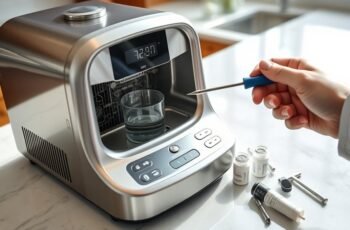
We can prevent many water ionizer problems by following a maintenance schedule based on the manufacturer’s instructions, water quality, and usage. Record operating hours, water volume, filter changes, flushing, and service findings so we can spot patterns early. We’ll also check hoses, connections, and the surrounding area for leaks or residue, and unplug the unit before cleaning or inspection. When flow, taste, or performance changes, the right next step depends on the cause.
Key Takeaways
- Follow the manufacturer’s maintenance schedule, adjusting intervals for water quality and usage; record tasks, dates, operating hours, and performance concerns.
- Replace filters with compatible cartridges at model-specific intervals, and reset usage indicators only after installing the specified filter.
- Flush the ionizer as directed, using only approved methods and solutions; track water hardness and follow any automatic flush instructions.
- Inspect hoses, connections, and the surrounding area regularly for leaks, wear, kinks, or residue; shut off water and unplug before inspection.
- Unplug before cleaning; use approved solutions and soft, nonabrasive materials, and contact a qualified technician for persistent leaks, errors, or electrical issues.
Set a Simple Water Ionizer Maintenance Schedule
To keep a water ionizer reliable, set a maintenance schedule based on the manufacturer’s instructions and your water quality. We can organize routine tasks by frequency, assign responsibility, and record completion dates. This approach helps us detect changes early without repeating unnecessary checks.
During a Weekly Visual Check, we can inspect the unit’s exterior, connections, and surrounding area for leaks, damage, or unusual residue. We should note any change and follow the manufacturer’s guidance before adjusting or servicing the appliance.
A Monthly Usage Log can track operating hours, water volume, and any performance concerns. We can compare entries over time to identify patterns and decide whether the schedule needs adjustment. If our source water changes or usage increases, we should review the maintenance intervals against the manual. We’ll keep the schedule accessible and update it whenever service is completed.
Check Your Water Ionizer’s Filters
We should replace each filter at the interval specified by the manufacturer, adjusting for usage and water quality. During routine checks, inspect filters for discoloration, damage, leaks, or unusual buildup. If a filter shows deterioration or flow declines, we should replace it and verify proper installation.
Filter Replacement Schedule
Because filters capture sediment, chlorine, and other contaminants, we should replace them at the intervals specified for our ionizer model. Check the manual for each cartridge’s Replacement frequency; Filter lifespan varies by filter type, water quality, and daily volume. We can use this schedule as a planning guide, but the manufacturer’s instructions take priority.
| Filter component | Typical replacement interval |
|---|---|
| Sediment prefilter | 6–12 months |
| Carbon filter | 6–12 months |
| Ionizer filter cartridge | 6–12 months |
| Specialty contaminant filter | Per manufacturer |
| Complete filter set | Follow model schedule |
Record installation dates and set calendar reminders so we don’t exceed the stated interval. If our unit tracks filter use, we should reset its indicator only after installing the specified replacement cartridge. Use compatible parts to maintain rated flow and treatment performance.
Inspect Filter Condition
Alongside the replacement schedule, we should inspect each filter for visible damage, unusual discoloration, leaks, or signs of blockage. Before opening the housing, we’ll turn off the water supply and unplug the ionizer. We’ll follow the manufacturer’s access instructions and avoid touching exposed electrical components.
- Check the cartridge body for cracks, swelling, or loose fittings.
- Note Filter discoloration, especially uneven darkening or unexpected color changes.
- Look for sediment buildup around the inlet, outlet, and cartridge surface.
- Inspect seals and connections for moisture, drips, or mineral deposits.
We’ll compare findings with the previous inspection and record the date, filter position, and condition. Reduced flow, unusual taste, or persistent leakage warrants prompt troubleshooting; these signs don’t confirm a filter fault on their own. If we find damage or blockage, we’ll replace the cartridge as directed and verify that the housing seals correctly.
Clean the Electrolysis Plates Safely
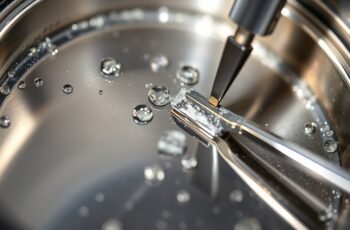
Before cleaning the electrolysis plates, we’ll power off the ionizer and disconnect it from the outlet. We’ll use only manufacturer-approved cleaning solutions to protect the plate surfaces. Then we’ll rinse the plates thoroughly to remove all residue.
Power Off First
To clean the electrolysis plates safely, switch off the ionizer and unplug it from the outlet first. We must isolate power before opening the unit or touching internal parts. Unplug before servicing, even if the control panel appears inactive. Verify power isolation by confirming the display is dark and no indicator lights remain; don’t rely on the switch alone.
- Press the ionizer’s power button to shut it down.
- Disconnect the plug by gripping its body, not pulling the cord.
- Keep the plug visible so nobody reconnects it during service.
- Wait for the unit to stop completely before accessing the plate chamber.
We should work with dry hands and keep the unit disconnected throughout inspection. If the plug, cord, or outlet is damaged, stop and arrange qualified service. Reconnect power only after reassembly is complete.
Use Approved Cleaning Solutions
With the ionizer unplugged, clean its electrolysis plates only with a solution approved by the manufacturer. Check the manual for dilution, contact-time, and application instructions; don’t substitute household acids, abrasives, or solvents. Confirm solution compatibility with the plate material and seals before use. Apply the specified amount with a soft, nonabrasive cloth or tool, and avoid scraping or bending the plates. Follow the product directions to limit exposure and support residue prevention.
| Check | Action | Purpose |
|---|---|---|
| Approval | Verify product listing | Protect components |
| Dilution | Measure as directed | Control concentration |
| Application | Use a soft tool | Avoid plate damage |
If instructions are unclear, contact the manufacturer before proceeding. Don’t mix cleaning products or exceed the stated contact time; either can damage surfaces or compromise operation. Keep the solution away from electrical connections and surrounding parts. નોંધ
Rinse Plates Thoroughly
After the approved cleaning solution has been applied for the specified contact time, rinse the electrolysis plates as directed by the manufacturer. Use clean water at the specified rinse water temperature; don’t substitute hot or cold water unless instructions permit it. Direct a gentle, steady flow across every plate face and edge, avoiding forceful spray, scraping, or contact with tools. Continue until no cleaner, foam, or residue remains.
- Keep the unit disconnected from power during rinsing.
- Follow the manufacturer’s guidance for water quality and rinse duration.
- Prevent water from entering electrical connectors or sealed compartments.
- Complete a Plate surface inspection under good lighting; look for residue, damage, or uneven discoloration.
If residue remains, repeat the approved rinse procedure rather than using abrasives. Drain the assembly as instructed, then allow it to dry fully before reassembly and operation. Record the maintenance date and any visible changes.
Flush the System to Reduce Mineral Buildup
Regular flushing helps prevent calcium and other minerals from accumulating in a water ionizer’s flow channels and electrodes. We should follow the manufacturer’s procedure, because flush duration and water requirements vary by model. Run automatic flush cycles when available, and don’t interrupt them; they clear residual water after use. If your unit requires manual flushing, use only the specified method and approved solution. Track water hardness and performance to set descaling frequency; hard water may require more frequent treatment.
| Check | Action | Record |
|---|---|---|
| Automatic cycle | Run as directed | Date |
| Manual flush | Follow model instructions | Method |
| Mineral scale | Assess output changes | Findings |
After flushing, restore the unit to service as directed. We can use the maintenance log to spot recurring buildup and adjust the schedule without exceeding the maker’s recommendations.
Inspect Hoses, Connections, and Leaks
Inspect hoses and connections routinely, since loose fittings, cracks, or leaks can disrupt flow and damage nearby surfaces. Before inspection, shut off the water supply and unplug the ionizer. We can then check each accessible line from inlet to outlet, using a light to spot moisture, discoloration, or deformation.
- Examine bends and contact points for abrasion, kinks, swelling, or brittle sections; note any Hose wear.
- Check clamps, threaded fittings, and quick-connects for movement or corrosion.
- Dry suspected areas, restore water pressure, and watch for fresh droplets.
- Confirm connection security without overtightening fittings, which can damage threads or seals.
If we find a leak, stop the supply and follow the manufacturer’s replacement instructions. Don’t operate the unit with damaged tubing or uncertain seals. Record inspection dates and recurring findings so we can identify deterioration early and schedule service promptly.
Keep the Exterior and Spout Clean
Once hoses and connections are secure, clean the ionizer’s exterior and spout to remove residue without letting moisture enter the housing. Unplug the unit, then wipe its surfaces with a soft, slightly damp cloth and mild detergent. Don’t spray liquid directly onto the appliance, controls, vents, or seams. Use a dry cloth to remove remaining moisture.
| Area | Method | Avoid |
|---|---|---|
| Exterior | Exterior dusting with a dry microfiber cloth | Abrasive pads |
| Controls | Wipe gently with a damp cloth | Direct spraying |
| Spout | Spout polishing with a soft cloth | Metal tools |
Clean the spout’s accessible exterior; don’t insert tools into its opening. Follow the manufacturer’s instructions for approved cleaners and removable parts. Reconnect power only after all cleaned surfaces are completely dry. These steps limit residue while protecting the housing and finish.
Watch for Changes in Water Flow and Taste
If water flow slows or its taste changes, note when the change began and whether it affects all settings. We can use a simple log to distinguish gradual variation from a sudden change and compare observations over time.
- Record the selected water setting and approximate fill time.
- Note whether reduced flow occurs at every setting or only one.
- Describe flavor shifts, such as new bitterness, metallic notes, or unusual odor.
- Compare the water’s appearance and taste with recent observations.
Flow rate changes may reflect routine variation, but a consistent pattern deserves attention. We should also record filter replacement dates and any recent changes in water supply, since these details provide useful context. Keep notes factual: include dates, settings, and measurable differences rather than guesses. If a change persists, consult the unit’s maintenance guidance before adjusting its operation. This record helps us assess performance methodically.
Troubleshoot Common Water Ionizer Issues
When a water ionizer behaves unexpectedly, we can troubleshoot it systematically by checking the display, water supply, connections, and maintenance indicators. First, confirm the inlet valve is open and the hose isn’t kinked. Compare the flow with the unit’s normal range, then verify that the filter is seated correctly and hasn’t reached its replacement limit. For Error code diagnostics, record the displayed code and consult the manual’s matching procedure; don’t clear it before noting relevant conditions. Check that the power cord is firmly connected and the outlet works. Inspect accessible cables and fittings for looseness, moisture, or visible damage, without opening the housing. If the unit reports electrical component failures, stop operation and disconnect power before following the manufacturer’s safety instructions. After correcting a simple supply or filter issue, restart the unit and confirm stable operation.
Know When to Call a Water Ionizer Technician
Call a qualified water ionizer technician when troubleshooting points to an internal fault, an electrical problem, or a leak you can’t safely access. We should stop operating the unit, unplug it if safe, and record error codes, symptoms, and recent maintenance. This information helps the technician diagnose the fault efficiently.
> Stop using the ionizer if you suspect an internal, electrical, or inaccessible leak; unplug it if safe and record symptoms for the technician.
Request service when we observe:
- Persistent error codes after the manual’s reset procedure.
- Damaged wiring, a burning smell, or repeated breaker trips.
- Leaks behind the housing or near electrical components.
- Weak flow or unusual noise that continues after approved cleaning.
Before booking, verify technician qualifications, including training on your model and experience with its filtration and electrolysis systems. Ask for diagnostic steps, replacement-part details, warranty terms, and estimated service costs. Don’t open sealed compartments or attempt electrical repairs; improper work can cause injury, damage, or void coverage. Compare written estimates before authorizing nonurgent repairs.
Frequently Asked Questions
Does a Water Ionizer Need Professional Servicing Even When It Works Normally?
Yes, we recommend periodic professional servicing even when your ionizer works normally. We can arrange Routine Inspection and Electrode Cleaning to detect buildup, verify performance, and address wear before it causes reduced output or unexpected failure.
Can a Water Ionizer Be Used With Well Water?
Yes, we can use a water ionizer with well water if we first arrange well water testing and install appropriate sediment filtration. We should also verify mineral levels and follow the manufacturer’s water-quality requirements.
Do Water Ionizers Require Electricity to Produce Alkaline Water?
Yes, most water ionizers require electricity for Alkaline Water Production. We use electrical power to run electrolysis, separating water into alkaline and acidic streams. Check your model’s Electrical Power Requirements; non-electric filters raise pH through mineral media instead.
How Long Does a Water Ionizer Typically Last?
A water ionizer’s typical lifespan is 10–15 years, depending on usage, water quality, and care. We recommend following the manufacturer’s replacement schedule for filters and monitoring performance to help you extend its service life.
Is It Safe to Leave a Water Ionizer Unused for Several Weeks?
Yes, we can leave your water ionizer unused for several weeks if you follow Storage precautions: shut off water and power. For the Restart procedure, flush it thoroughly before drinking, following your manufacturer’s instructions.
Conclusion
Preventive maintenance works best when we make it routine: follow the manufacturer’s schedule, record filter changes and service findings, and inspect the unit for leaks or wear. A useful benchmark is that even a 1% leak from a small household connection can waste roughly 3,000 gallons of water a year, so don’t dismiss drips. We should flush and clean only as directed, monitor flow and taste, and stop operation when faults persist. When repairs involve sealed or electrical components, call a qualified technician.